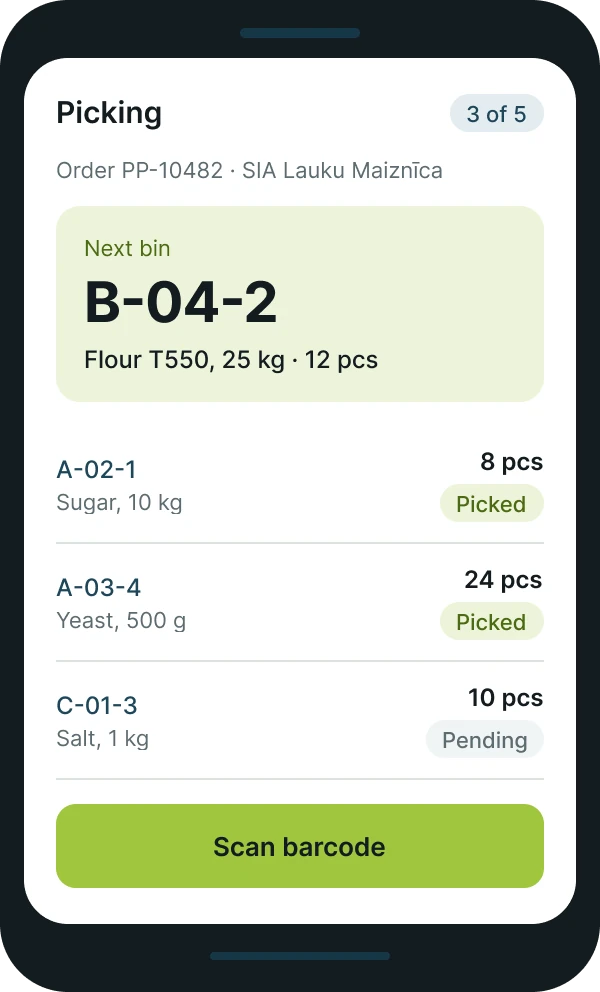
On the scanner, staff see only what needs doing now: which shelf, which item and how many. The system flags a wrongly scanned item straight away.
Warehouse management
A warehouse with scanners and accurate stock levels
The warehouse solution connects goods receipt, put-away, picking and stocktaking with Business Central inventory. Staff work with handheld scanners, and the data reaches the system straight away.
In the warehouse
Goods from receipt to dispatch
Fewer paper lists and less manual entry, more accurate stock levels and a clear view of where every item is.
-
Receipt
Receiving goods against the purchase order with barcode scanning.
-
Put-away
Put-away by warehouse zones and shelves.
-
Picking
Picking by sales orders and route.
-
Stocktaking
Stocktaking with a scanner without stopping warehouse work.
-
Movements
Transfers between warehouses and stock levels in real time.
How it looks
Warehouse work in real time
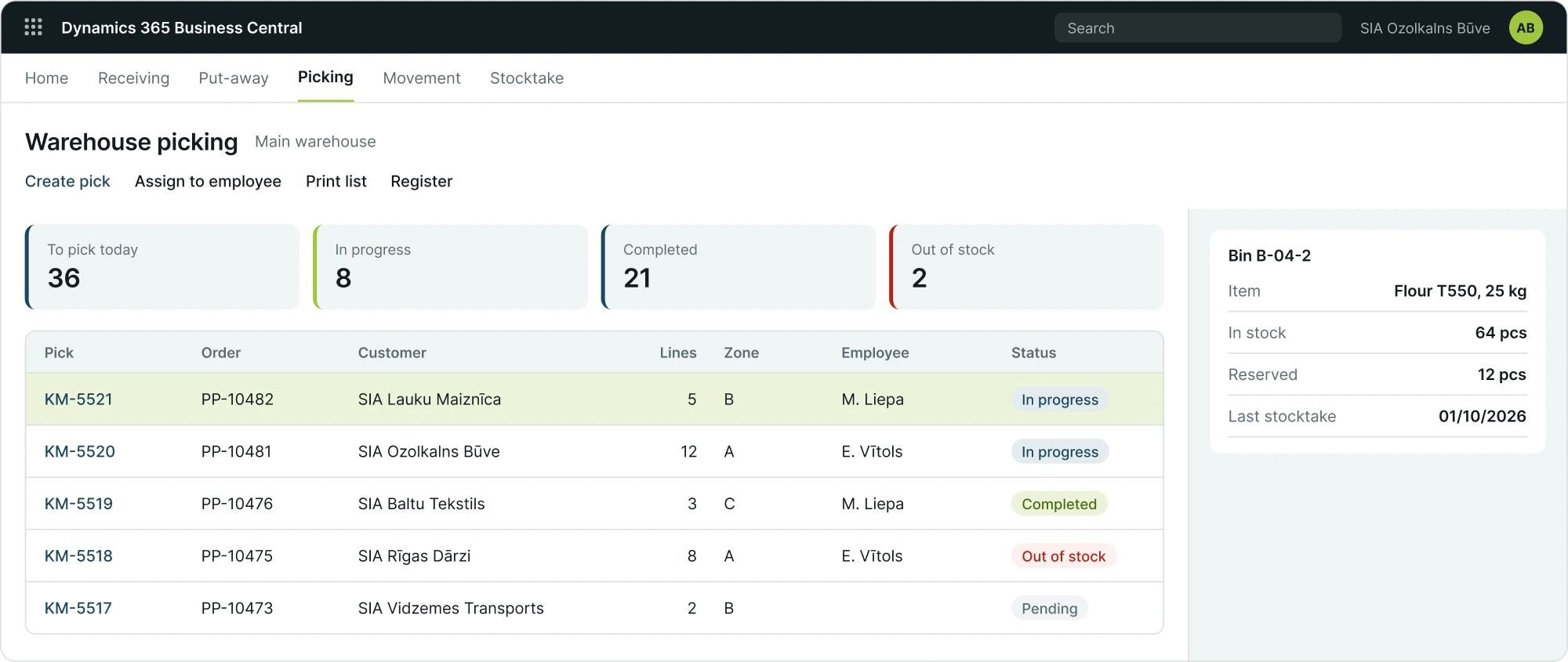
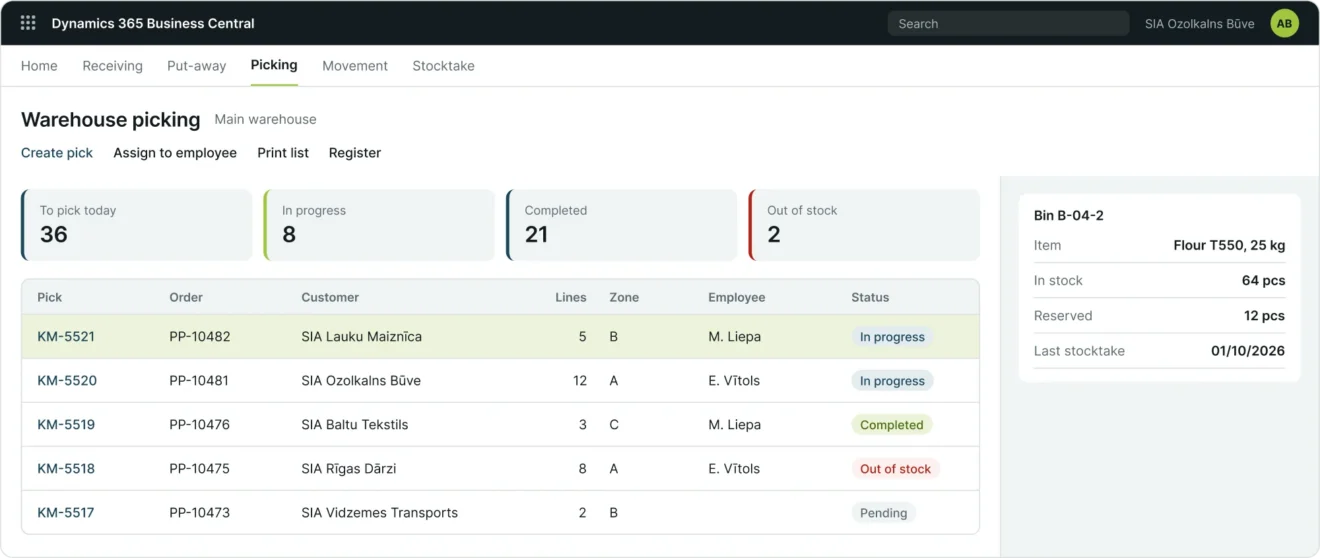
- Picking tasks are split by zone and by employee.
- Missing items are visible before an order is delayed.
- Scanner data updates stock levels in Business Central immediately.
For staff
One screen, one next step
- Work with handheld scanners or mobile devices.
- Scanning of barcodes and shelf codes.
- Work allocation by employee and zone.
Next step
Before implementation we assess the warehouse layout, item coding and the devices you already use. We test the solution together with your warehouse staff before go-live.
Discuss your warehouse needs